
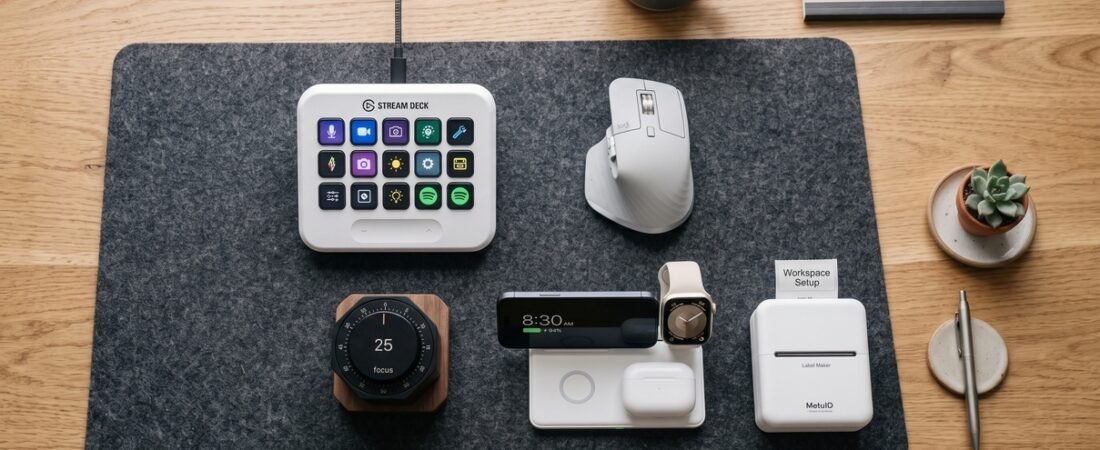
The right productivity gadgets can reduce repetitive actions, keep important tools within reach, and make everyday desk work more organized. Instead of adding technology for the sake of it, the best tools solve a specific workflow problem—whether that means creating faster shortcuts, protecting focused work time, improving navigation, simplifying charging, or making quick notes easier. In this guide, we look at some of the best productivity gadgets in 2026 for building a more efficient and organized workspace.
Top Selections at a Glance
- Top Workflow Speed: Elgato Stream Deck MK.2 — 15 customizable LCD keys for shortcuts and macro workflows.
- Focus & Time Blocking: Hexagon Flip Timer — Physical timer designed to keep focus sessions separate from your phone.
- Best Navigation Mouse: Logitech MX Master 3S — Electromagnetic scrolling and multi-device support.
In This Guide
Productivity Gadget Benchmark
| Product | Category | Primary Feature | Connectivity / Type | Direct Link |
|---|---|---|---|---|
|
Elgato Stream Deck MK.2
★ Top Pick
|
Macro Console | 15 Dynamic LCD Keys | USB-C Wired | View Deal ↗ |
| Hexagon Flip Timer | Focus Timer | Gravity-sensor flip time blocking | Battery Operated | View Deal ↗ |
| Logitech MX Master 3S | Ergonomic Mouse | MagSpeed Electromagnetic Scroll | Bluetooth / Logi Bolt | View Deal ↗ |
| 3-in-1 Charging Stand | Charging Station | Simultaneous MagSafe power dock | Wireless Magnetic Base | View Deal ↗ |
| Mini Thermal Pocket Printer | Pocket Printer | Inkless Bluetooth note printing | Bluetooth Mobile App | View Deal ↗ |
How We Choose These Productivity Gadgets
We evaluate productivity gadgets based on the problem they are designed to solve, their practical features, usability, compatibility, design, and overall value. Our ratings are editorial assessments based primarily on published product information and specifications rather than laboratory measurements or hands-on testing.
What We Look At
- Workflow value: Does the product address a practical productivity problem?
- Features: Are the key functions useful for everyday work?
- Ease of use: Is the product straightforward to set up and use?
- Compatibility: Does it work with the devices or platforms it is intended for?
- Design and build: Does the form factor make sense for a daily workspace?
- Overall value: Does the expected benefit justify the product’s cost and limitations?
Editorial Note: Scores shown in this guide are editorial ratings, not laboratory test scores. Product specifications, software compatibility, prices, and availability may change over time, so check the manufacturer’s current information before purchasing.
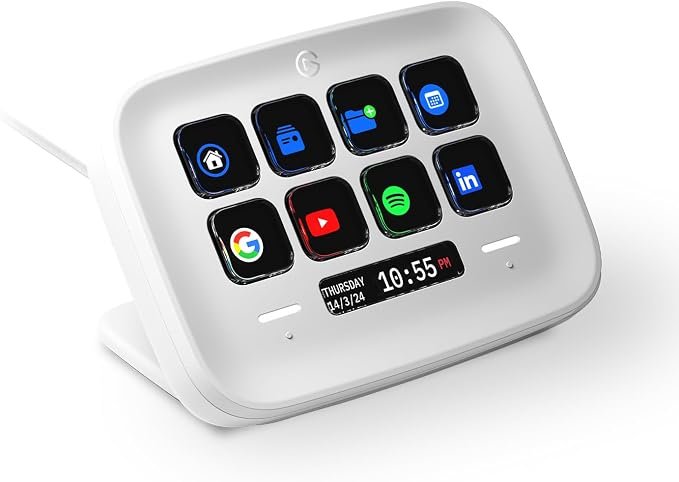
1. Elgato Stream Deck MK.2: The Shortcut Console (★ 9.7/10)
Why We Recommend It:
Originally designed with streamers in mind, the Elgato Stream Deck MK.2 can also be useful for editors, developers, creators, and other power users who rely on repetitive shortcuts. Its 15 customizable LCD keys let you turn frequently used commands, application actions, and shortcuts into dedicated physical buttons.
Instead of memorizing combinations for tasks such as muting a meeting, launching an application, or triggering a repeated workflow, you can assign actions to individual keys. Folder and profile features also make it possible to organize different commands for different applications.
✓ Pros
- 15 customizable LCD keys for shortcuts and actions
- Broad plugin support for productivity and creative applications
- Profiles and folders help organize different workflows
✕ What We Don’t Like
- Initial setup and key customization can take time
- Designed for a wired desktop setup rather than portability
Who Should Buy: Power users, developers, and content creators looking to map frequently used app shortcuts to physical macro keys.
Who Should Skip: Casual users who rarely rely on custom shortcuts or automation.
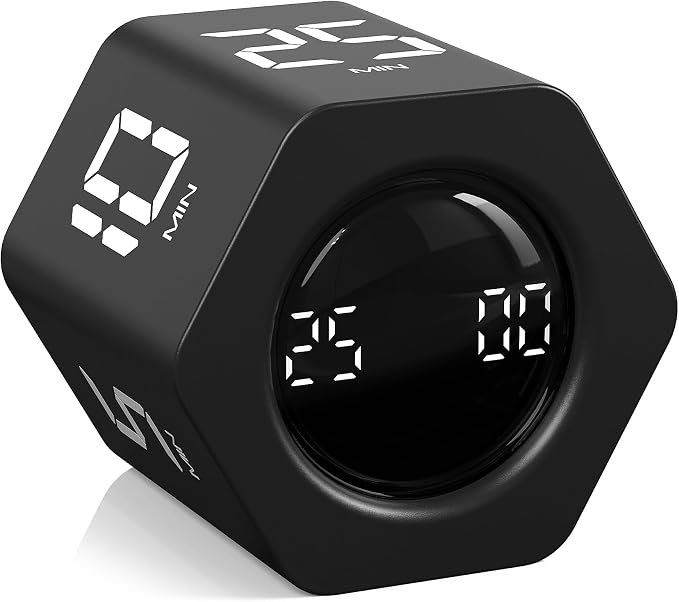
2. Hexagon Flip Timer: A Simple Focus Block (★ 9.3/10)
Why We Recommend It:
Smartphone timer apps can make it tempting to check notifications or other apps during a focus session. The Hexagon Flip Timer takes the timer away from the phone and uses a physical flip-based interface for starting a countdown.
Its digital display and orientation-based controls make it a simple option for people who prefer a visible physical timer on the desk rather than another software tool.
✓ Pros
- Physical flip mechanism keeps timer controls away from the phone
- Useful for structured focus sessions and time blocking
- Compact design fits easily on a desk
✕ What We Don’t Like
- Preset time intervals may be less flexible than software timers
Who Should Buy: Remote workers and students who prefer physical time-blocking tools and want fewer reasons to reach for their phone.
Who Should Skip: Users who need highly customizable timer durations or advanced scheduling features.
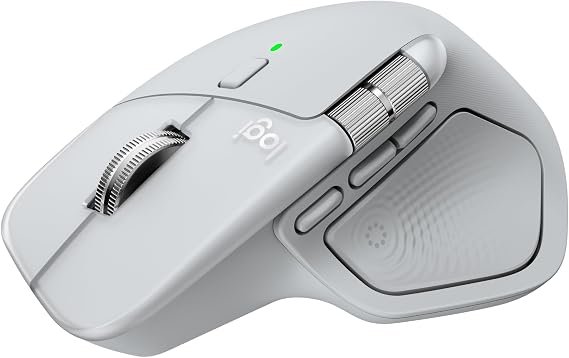
3. Logitech MX Master 3S: Premium Productivity Mouse (★ 9.6/10)
Why We Recommend It:
The Logitech MX Master 3S is designed for users who spend long periods navigating documents, spreadsheets, browsers, and multiple applications. Its MagSpeed electromagnetic scroll wheel provides fast scrolling with more controlled movement when precision is needed.
The mouse also supports multiple-device workflows through Logitech’s software ecosystem, making it useful for people who regularly move between computers or operating systems.
✓ Pros
- MagSpeed electromagnetic wheel supports fast scrolling
- Multi-device workflows through Logitech software
- Ergonomic shape designed for right-handed users
✕ What We Don’t Like
- Right-hand ergonomic design is not ideal for left-handed users
Who Should Buy: Office professionals, creators, and multi-device users who want fast scrolling and an ergonomic desktop mouse.
Who Should Skip: Left-handed users or people who strongly prefer lightweight gaming-style mice.
4. 3-in-1 Charging Stand: Multi-Device Power Station (★ 9.5/10)
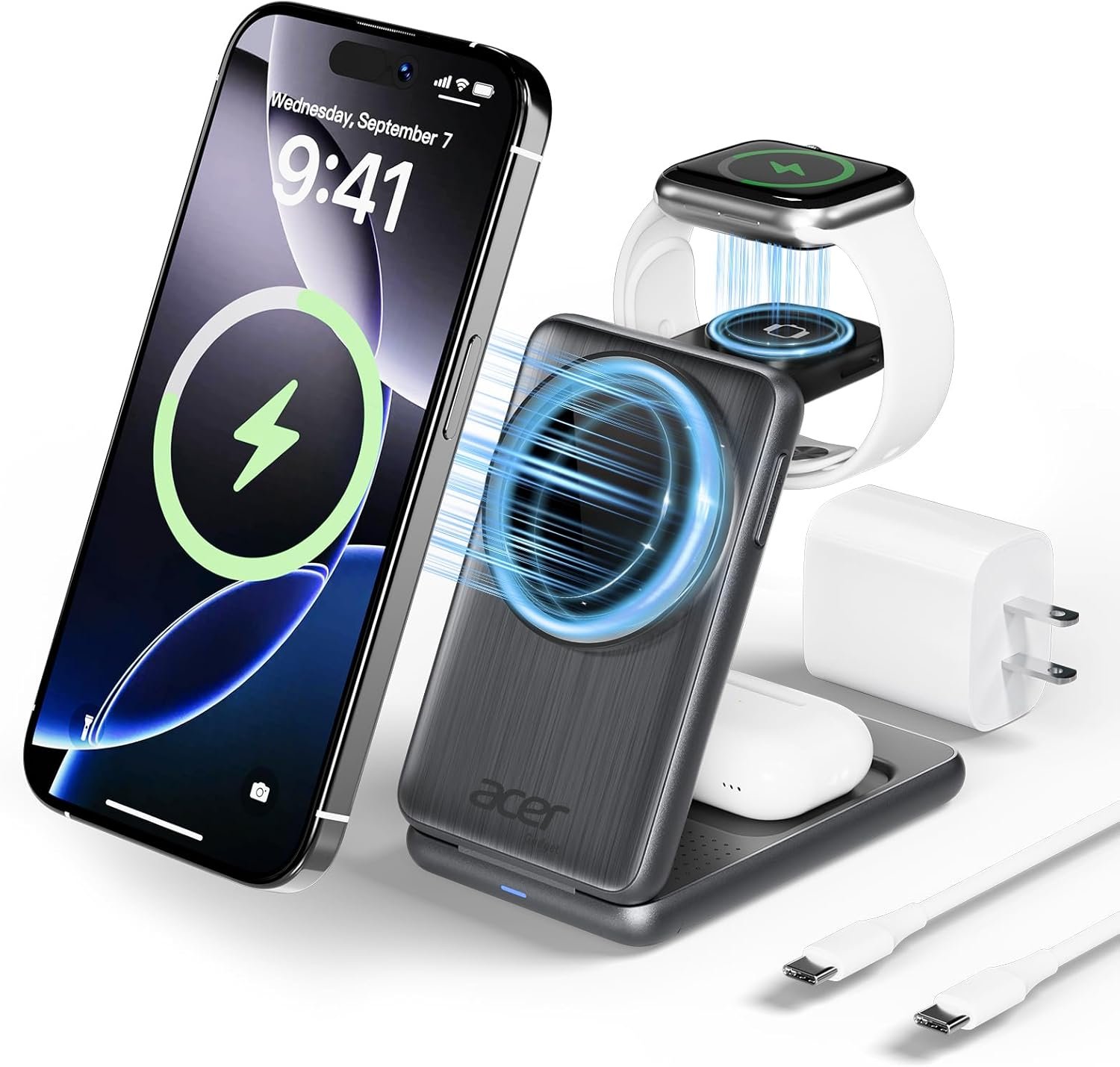
Why We Recommend It:
Managing separate charging cables for a smartphone, smartwatch, and wireless earbuds can quickly make a desk feel cluttered. A 3-in-1 Charging Stand brings compatible devices into one charging area and can make a daily charging routine easier to organize.
Magnetic phone alignment can also make the stand convenient for keeping a compatible phone upright while it charges. Exact charging speeds and device compatibility depend on the specific model, power adapter, and devices being used.
✓ Pros
- Combines multiple charging positions in one desktop stand
- Magnetic phone alignment can make daily docking easier
- Helps reduce loose charging cables around the desk
✕ What We Don’t Like
- Desktop-focused design is less convenient for travel
Who Should Buy: Multi-device users who want a cleaner charging area and fewer separate charging accessories on the desk.
Who Should Skip: Users whose devices are not compatible with the stand’s charging system.
5. Mini Thermal Pocket Printer: Compact Inkless Note Printer (★ 9.1/10)
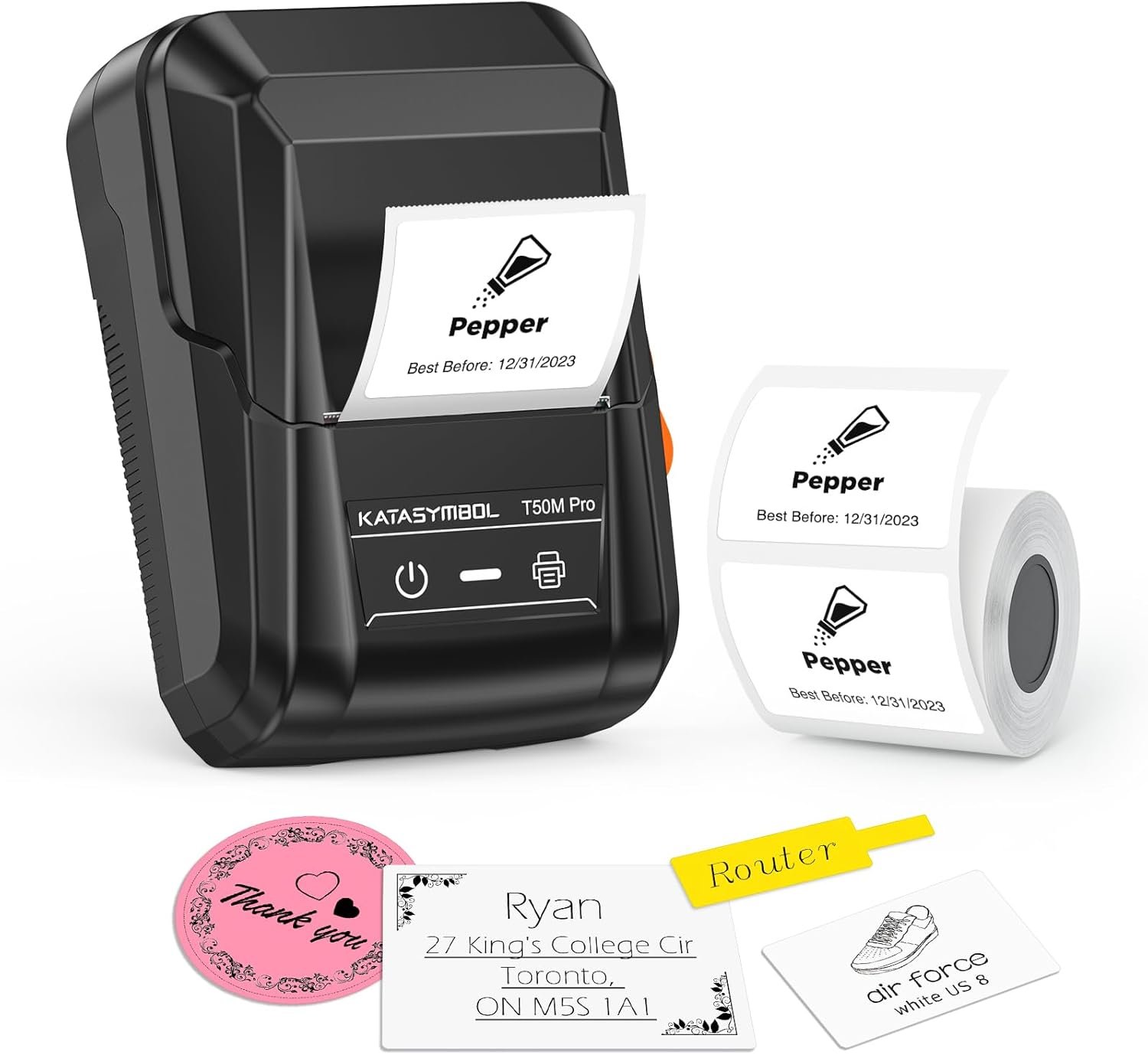
Why We Recommend It:
For quick physical reminders, short notes, journaling templates, or simple labels, a Mini Thermal Pocket Printer can be more convenient than using a full-size printer. These compact printers typically connect to a smartphone over Bluetooth and print on compatible thermal paper without traditional ink cartridges.
Its small footprint makes it easy to keep in a desk drawer or bag when you want quick physical notes without dedicating space to a conventional printer.
✓ Pros
- Thermal printing avoids traditional ink or toner cartridges
- Bluetooth smartphone connectivity is convenient for quick printing
- Compact footprint fits easily into bags or desk drawers
✕ What We Don’t Like
- Thermal printers are generally limited to monochrome output
Who Should Buy: Students, organizers, journal users, and anyone who prefers quick physical notes or labels.
Who Should Skip: Users who need color photos or standard full-page document printing.
Frequently Asked Questions
Do macro controllers like the Elgato Stream Deck work with all operating systems?
The Stream Deck ecosystem supports both macOS and Windows, although specific features, plugins, and workflows can vary by operating system and application. Check the current Elgato software requirements for your setup.
How does time-blocking help with daily work?
Time-blocking gives a task a defined period of focused attention, which can make it easier to structure a work session and reduce unnecessary task switching. Results vary depending on the person, task, and working environment.
Are productivity gadgets actually worth buying?
It depends on the problem you are trying to solve. A useful productivity gadget should save time, simplify a repeated task, improve organization, or make a common workflow easier. If a device adds more setup or distractions than value, it may not be worth the cost.
What should I consider before buying a productivity gadget?
Start with the specific workflow problem you want to solve. Then compare compatibility, required software or accessories, ease of use, desk footprint, build quality, and total cost before deciding whether the product fits your setup.
Final Buying Verdict
If you want a dedicated hardware tool for frequently used shortcuts, the Elgato Stream Deck MK.2 is the strongest all-around pick in this lineup. For a cleaner multi-device charging area, the 3-in-1 Charging Stand is the more practical choice.
View Top Recommended Stream Deck MK.2 ↗