

When something you own starts acting up, the easiest response is usually to replace it. A newer version is available, the old one has a problem, and buying something new feels simpler than figuring out what went wrong.
But that doesn’t always make sense.
Sometimes the problem is a small component that can be replaced. Sometimes the product still does everything you need, but one limitation is becoming annoying. And sometimes the product has simply reached the point where keeping it no longer makes sense.
That’s where three choices come in: repair, replace, or upgrade.
The goal isn’t to repair everything forever or to avoid buying new products. It’s to make the decision based on the actual problem—not simply on the fact that something newer exists.
This guide focuses on a simple decision framework you can use for everyday technology, desk equipment, electronics, and other products you already own.
Repair, Replace or Upgrade?
Repair
Choose repair when the product still meets your needs and the actual problem is fixable.
Replace
Replace when the product itself no longer makes sense to keep or the problem is too costly or difficult to solve.
Upgrade
Upgrade when a newer product solves a real limitation that your current one cannot reasonably solve.
- Start With the Difference
- The Big Mistake: Comparing Only Prices
- Step 1: Identify the Actual Problem
- Step 2: Can It Actually Be Repaired?
- A Small Repair Can Save a Much Larger Purchase
- Step 3: What Will the Repair Actually Buy You?
- Example: When a Laptop Needs More Storage
- Step 4: Is the “Upgrade” Actually an Upgrade?
- Fixing the Monitor Problem Without Replacing the Monitor
- Don’t Ignore the Cost of Keeping the Old Product
- When Replacing Makes More Sense
- Why Repairability Matters
- The 10-Minute Decision Test
- A Simple Decision Tree
- The Most Important Question
- The Few Picks Rule
- FAQ
Repair, Replace or Upgrade? Start With the Difference
These three options sound similar, but they solve different problems.
Repair
The product is still right for you. Something specific has failed, worn out, or stopped working properly.
Replace
The product itself is no longer suitable, or keeping it costs more time, money, or frustration than it’s worth.
Upgrade
Nothing is necessarily broken, but a newer solution fixes a limitation you genuinely experience.
Newer does not automatically mean better for you. A newer product is only an upgrade if it solves a problem that actually matters in your daily use.
The Big Mistake: Comparing Repair Cost With New-Product Price
One of the easiest ways to make a bad decision is to look at two numbers:
- Repair costs $80.
- A new product costs $180.
- Therefore, buying new must be better.
Not necessarily.
The repair might give you another two or three years with a product that already fits your needs. The replacement might cost more, require accessories you don’t already own, involve setup time, or introduce features you don’t actually need.
On the other hand, a cheap repair isn’t automatically smart either. If the product is already outdated, unreliable, difficult to repair, and likely to develop another problem soon, spending money on it may simply delay a replacement you will eventually need.
The better comparison is not simply repair cost vs. purchase price.
Compare the repair cost with the product’s remaining usefulness, reliability, replacement cost, and what the new product would actually add.
Step 1: Identify the Actual Problem
Before looking at replacement products, describe the problem in one sentence.
“My laptop is getting old.”
“What specifically is stopping me from using it the way I want?”
Maybe the storage is full. Maybe the battery no longer lasts long enough. Maybe the screen is too small. Maybe the software you need has become too demanding.
Those are very different problems, and they can lead to very different solutions.
Try to identify the specific limitation:
- Is something physically broken?
- Has a component worn out?
- Is performance actually the problem?
- Is storage or battery capacity the issue?
- Do you dislike the product, or does it genuinely fail to meet a need?
- Would fixing one specific part solve most of the frustration?
Step 2: Can the Problem Actually Be Repaired?
Once you’ve identified the problem, find out whether the affected part can be repaired or replaced.
This sounds obvious, but modern products can make it surprisingly complicated. A repair may depend on whether replacement parts are available, whether the product can be opened without damaging it, whether documentation exists, and whether software or component pairing creates additional restrictions.
That’s why repairability is worth checking before deciding that a product is finished.
Resources such as iFixit’s repairability resources look at factors such as parts availability, tools, documentation, disassembly, and software-related barriers.
A Small Repair Can Save a Much Larger Purchase
Some of the easiest repair-or-replace decisions happen when the main product is still perfectly usable but a small supporting component has failed.
A damaged cable doesn’t necessarily mean replacing the device. Worn chair wheels don’t automatically mean buying a new chair. A monitor stand that no longer works doesn’t necessarily mean replacing the display.
In these situations, replacing the component can preserve the useful product you already own.
Example: Replacing a Worn USB-C Cable
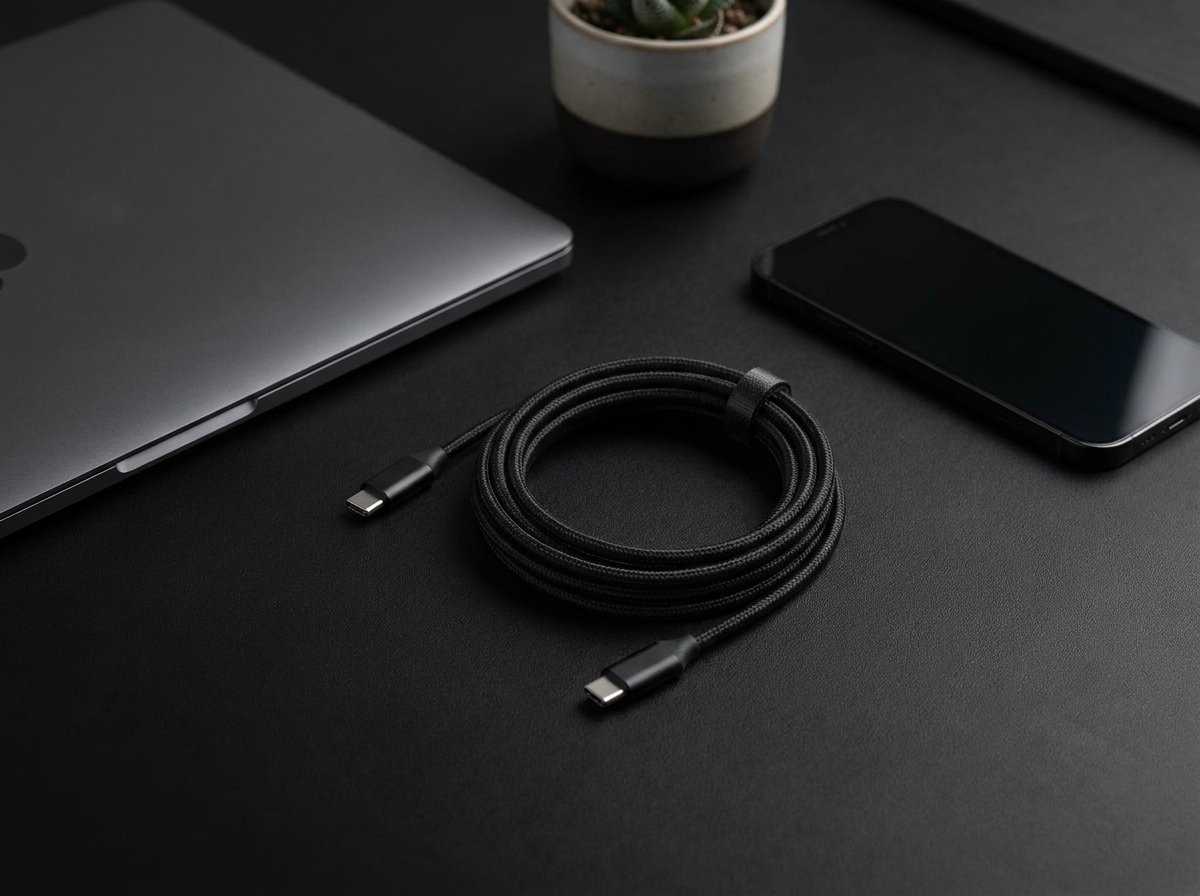
If a charging or data cable has become damaged while the device itself still works properly, replacing the cable can be much more sensible than replacing the device.
Why it fits the framework: the problem is isolated to a replaceable component, while the main product still performs its intended job.
View example on Amazon →Step 3: What Will the Repair Actually Buy You?
A successful repair is only useful if it gives you meaningful additional life.
Ask yourself:
- Will the repaired product still meet my needs?
- How long do I realistically expect to keep using it?
- Is the repair likely to solve the actual problem?
- Are there other major problems already developing?
- Will I still want to replace it soon for another reason?
If the answer is “the repair will probably give me several more useful years,” the calculation looks very different from a repair that only delays an inevitable replacement by a few months.
Example: When a Laptop Needs More Storage
Imagine a laptop that still performs well for your normal work, but its internal storage is almost full.
The problem may not be that the laptop is “too old.” The immediate problem is storage.
If the laptop supports an additional or replacement SSD, increasing storage can solve the actual limitation without forcing you to replace the entire computer.
Example: A Larger NVMe SSD

An NVMe SSD can be an example of an upgrade that targets one specific limitation: storage capacity.
Important: compatibility depends on the specific laptop or desktop. Check the supported SSD type, size, interface, and installation requirements before buying.
View example on Amazon →If you’re also trying to improve the workspace around your computer, see our Minimalist Desk Setup Guide for a broader look at dimensions, hardware, and cable planning.
Step 4: Is the “Upgrade” Actually an Upgrade?
This is where buying decisions can become emotional.
New products often advertise faster processors, brighter displays, better cameras, more ports, improved wireless standards, or redesigned hardware.
Those improvements can be real. But the important question is whether they change your experience.
Don’t ask “Is the new product better?”
Ask “What problem will the new product solve that my current one cannot?”
If you cannot name a meaningful problem, the purchase may be an upgrade on paper rather than an upgrade you actually need.
Example: Fixing the Monitor Problem Without Replacing the Monitor
Suppose your monitor works perfectly, but the included stand takes up too much desk space or doesn’t give you the height and viewing position you need.
Replacing the monitor would solve the problem—but so could changing the stand.
A VESA-compatible monitor arm can change the positioning of the display while allowing you to keep the screen you already own.
Example: A VESA Monitor Arm
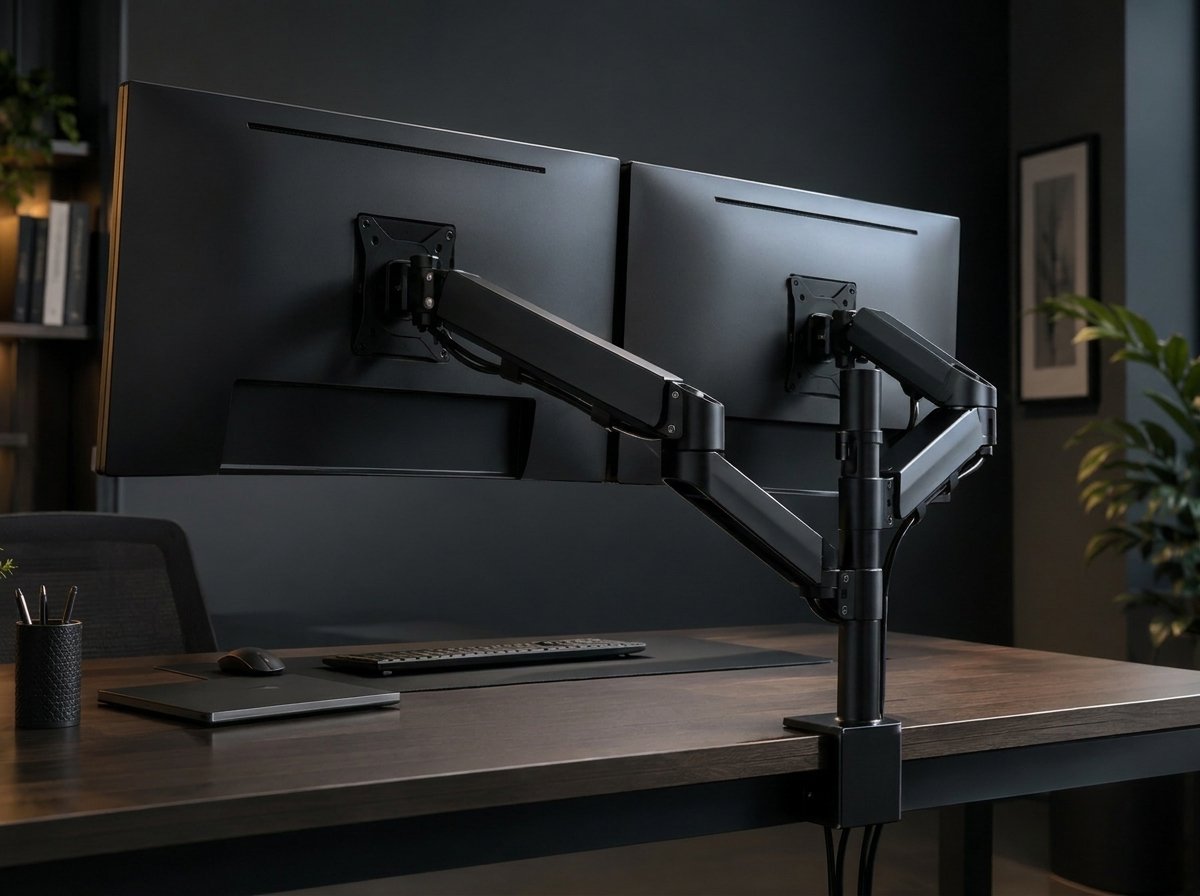
A monitor arm is a good example of an upgrade that changes the setup without replacing the main product.
Why it fits the framework: if the display itself still works well, changing the mounting solution can address a desk-space or positioning problem directly.
View example on Amazon →Don’t Ignore the Cost of Keeping the Old Product
The opposite mistake is assuming that keeping something is always cheaper.
An old product can have hidden costs:
- Repeated repairs
- Unreliable performance
- Time spent troubleshooting
- Missing features you genuinely need
- Compatibility problems
- Higher energy use in some cases
- Difficulty finding replacement parts
If the product repeatedly creates the same problem, another repair may simply be postponing the larger decision.
This is where replacement can become reasonable—even if the old product technically still works.
When Replacing Makes More Sense
Replacement becomes more reasonable when the problem is no longer isolated.
For example, imagine an office chair with a worn component. Replacing that component may make perfect sense if the chair is otherwise comfortable and structurally sound.
But if the chair also has damaged cushioning, a failing mechanism, unstable structure, and other problems, replacing one small part may not meaningfully restore it.
Example: Replacement Office Chair Wheels
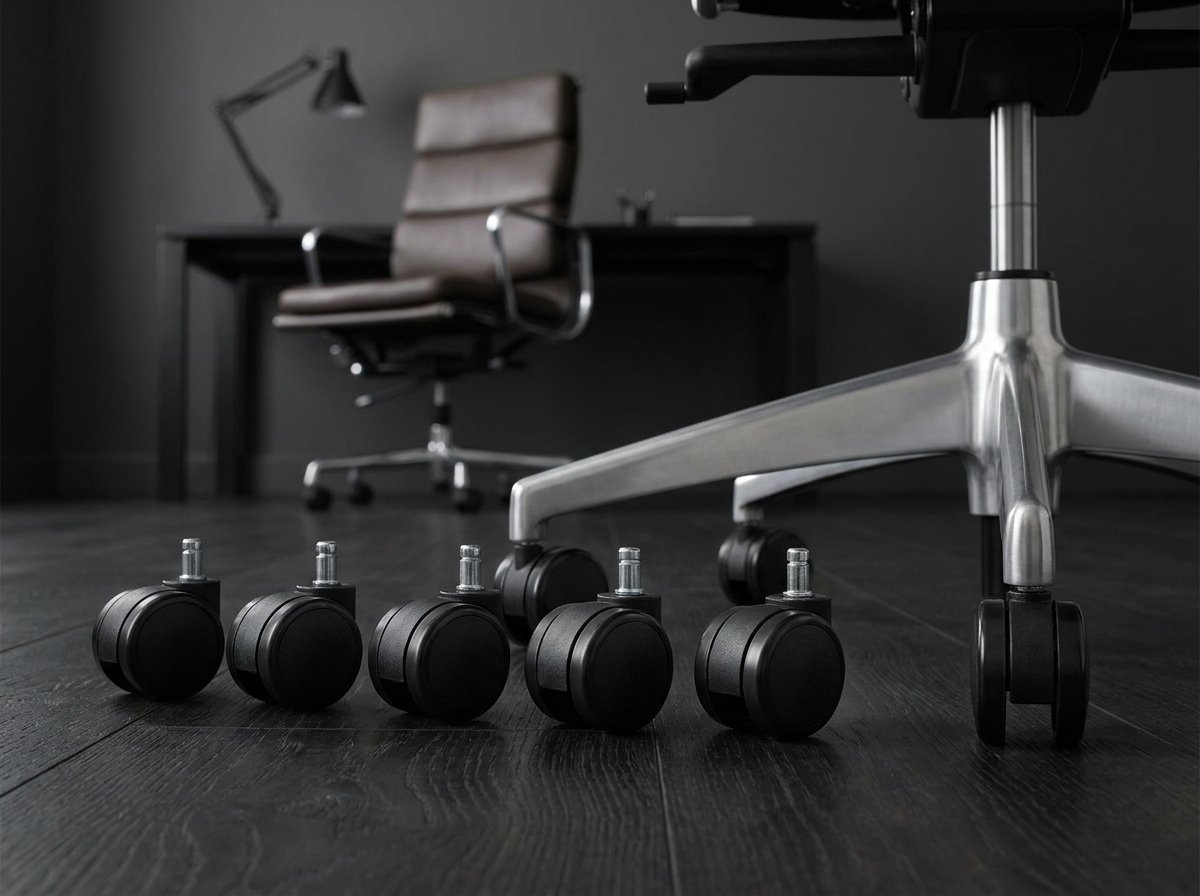
Replacement wheels are an example of a small component that can extend the useful life of an otherwise functional chair.
Check before buying: wheel stem size and chair compatibility vary, so confirm the dimensions and mounting style first.
View example on Amazon →Repairability Is Becoming a Bigger Buying Factor
Repairability isn’t only something to think about after a product breaks. It can also influence what you buy in the first place.
A product that can be opened, diagnosed, repaired, and supplied with replacement parts may remain useful for longer than a product designed around difficult repairs or limited component access.
The European Commission’s right-to-repair rules began applying on July 31, 2026, introducing repair-related consumer rights and requirements for certain products.
That doesn’t mean every product is automatically easy to repair. It does mean repairability is becoming a more visible part of the product-life conversation.
When researching a future purchase, look beyond specifications. Check whether parts are available, whether repair information exists, and whether the product has a realistic path to being maintained.
The 10-Minute Repair, Replace or Upgrade Test
Before buying anything new, run through these questions.
1. What exactly is wrong?
Describe the problem without using words like “old” or “outdated.”
2. Is the main product still doing its job?
If yes, investigate repair or a targeted upgrade first.
3. Is the problem isolated to one component?
A replaceable part can change the calculation completely.
4. Is the repair realistically available?
Check parts, compatibility, tools, documentation, and repair cost.
5. How much useful life will the repair buy?
A repair that buys years is different from one that buys a few weeks.
6. What does the new product actually add?
Identify the specific feature or improvement that matters to you.
7. Would you still want the new product if the old one weren’t broken?
This question helps separate a genuine need from the temptation of something newer.
A Simple Decision Tree
↓
If yes → estimate the repair cost and remaining useful life.
If yes → Repair.
If yes → consider an Upgrade.
→ Replace.
The Most Important Question: Would You Buy It If Nothing Were Broken?
This is one of the simplest ways to identify an unnecessary upgrade.
Imagine your current product suddenly became perfectly reliable again tomorrow.
Would you still want the new one?
If the answer is yes, there may be a genuine feature, comfort, performance, or workflow improvement you care about.
If the answer is no, the broken product may be creating a sense of urgency that doesn’t actually require a new purchase.
Don’t let a broken component convince you that the entire product is obsolete.
Once you’ve decided to keep your current setup, small changes can still make a big difference. Our guide to cable management solutions covers practical ways to clean up desk cables without rebuilding your entire workspace.
The Few Picks Rule
There isn’t a universal percentage or price threshold that can tell you whether every product should be repaired or replaced.
The right decision depends on the product, the problem, the repairability, the remaining useful life, and what you actually need from it.
If the problem is repairable, repair it.
If the product no longer meets your needs, replace it.
If a newer product solves a problem you genuinely have, upgrade it.
And if nothing is actually wrong, you may not need to buy anything.
The goal isn’t to avoid spending money. It’s to make sure the money solves the right problem.
A small repair can sometimes save a much larger purchase. A targeted upgrade can sometimes extend the life of a product you already like. And sometimes replacement really is the sensible answer.
The important part is knowing which situation you’re actually in.
If you’re working on a more comfortable workstation, see our ergonomic desk accessories guide for ideas on solving common desk and comfort problems.
Helpful References
- iFixit — Repairability — Information on repairability, parts, tools, documentation, and repair barriers.
- Consumer Reports — Repair or Replace — A repair-or-replace framework that considers factors such as product age, original cost, depreciation, repair cost, and replacement cost.
- European Commission — Right to Repair — Information about the EU’s repair-related consumer rules introduced in 2026.
FAQ
Is repairing always cheaper than replacing?
No. A repair can be poor value when the product has several other problems, the repair is unreliable, or the product’s remaining useful life is short.
When should I upgrade instead of repair?
Consider upgrading when your current product works but has a limitation that a newer product can meaningfully solve.
How do I know whether a product is repairable?
Check for replacement parts, repair documentation, compatibility information, disassembly requirements, and whether the manufacturer or a qualified repair provider supports the repair.
Should I replace something just because it is old?
Not necessarily. Age matters, but usefulness matters more. If the product still meets your needs reliably, age alone doesn’t automatically make replacement necessary.
What if the new product is much better?
“Much better” is only useful if the improvement matters to you. Focus on the specific problem or limitation the new product would solve.
Final Takeaway
When something stops working, don’t immediately turn the problem into a shopping trip.
First figure out what actually went wrong.
Then ask whether the problem can be repaired, whether that repair gives you enough useful life, and whether a newer product solves a limitation you genuinely have.
Sometimes the answer will be a repair. Sometimes it will be a replacement. Sometimes an upgrade makes perfect sense.
And sometimes the smartest decision is to keep using what you already own.
The goal isn’t to own the newest thing.
It’s to make sure the thing you buy actually solves the problem you have.
Reader Disclosure: The Few Picks is reader-supported. As an Amazon Associate, we earn from qualifying purchases. When you buy through links on our site, we may earn an affiliate commission at no extra cost to you.