
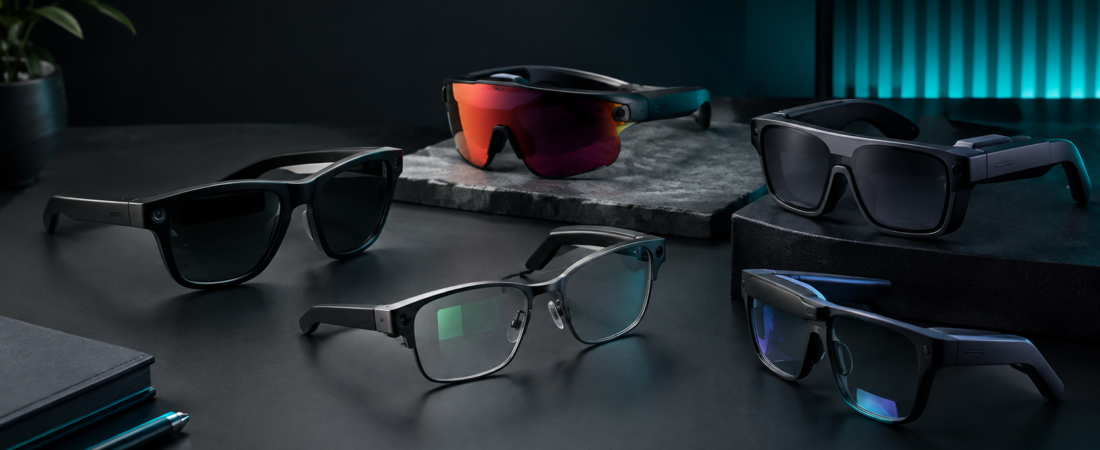
Smart glasses are becoming easier to understand — and harder to classify. One pair can take photos, play music, answer calls, and interact with an AI assistant. Another can put navigation, notifications, or a teleprompter into your field of view. Another can give you what feels like a very large private screen for movies, gaming, or a laptop.
The problem is that all of these products are called smart glasses, even though they solve very different problems. So instead of asking which pair is “the best,” this guide looks at what each type actually does, where the compromises appear, and which situation each product is designed to fit.
Smart Glasses at a Glance
- Hands-Free Camera + AI: Ray-Ban Meta Gen 2 — capture, listen, call, and use Meta AI without constantly reaching for your phone.
- Outdoor Performance: Oakley Meta Vanguard — built around running, cycling, POV capture, Garmin data, and open-ear audio.
- Heads-Up Information: Even Realities G1 — navigation, notifications, translation, QuickNote, and teleprompting through a discreet display.
- Audio + AI: Solos AirGo A5 — open-ear audio, hands-free AI, translation, reminders, and everyday voice interaction.
- Portable Private Display: VITURE Pro 2 — a wearable Micro-OLED display for gaming, movies, travel, and compatible laptop workflows.
In This Guide
- First: Smart Glasses Are Not One Category
- Smart Glasses Comparison
- 1. Ray-Ban Meta Gen 2
- 2. Oakley Meta Vanguard
- 3. Even Realities G1
- 4. Solos AirGo A5
- 5. VITURE Pro 2
- The Camera Question
- The Display Question
- What About AI?
- Battery Life Is More Complicated Than the Number on the Box
- How to Choose the Right Type
- Who Should Probably Skip Smart Glasses?
- Frequently Asked Questions
- Final Takeaway
First: Smart Glasses Are Not One Category
The biggest mistake when researching smart glasses is treating every pair as if it were competing for the same job.
It isn’t.
There are roughly three different experiences here.
Camera + Audio + AI
Ray-Ban Meta, Oakley Meta, and Solos focus on hands-free interaction, audio, and everyday convenience.
Display / Information
Even G1 puts small amounts of useful information into your field of view.
Wearable Display / XR
VITURE Pro 2 is closer to a private portable monitor than traditional AI glasses.
Someone looking for hands-free vacation photography is therefore not shopping for the same thing as someone who wants a discreet teleprompter or a large private gaming screen.
Smart Glasses Comparison
| MODEL | CATEGORY | BEST FIT | DISPLAY | CAMERA | MAIN TRADE-OFF | ACTION |
|---|---|---|---|---|---|---|
| Ray-Ban Meta Gen 2 | Camera + AI | Everyday capture, audio, travel | No | Yes | No visual HUD | View → |
| Oakley Meta Vanguard | Sport + AI | Running, cycling, outdoor POV | No | 12MP | Sport-focused frame | View → |
| Even Realities G1 | Display + AI | Navigation, notifications, teleprompt | Yes | No | Limited visual information | Check → |
| Solos AirGo A5 | Audio + AI | Hands-free audio and AI | No | No | Software-dependent experience | View → |
| VITURE Pro 2 | XR Display | Gaming, movies, travel, laptop use | Yes | No | Requires compatible host device | View → |
1. Ray-Ban Meta Gen 2 — For Hands-Free Everyday Capture
The problem it is trying to solve
“I want some of the convenience of my phone without constantly taking my phone out.”
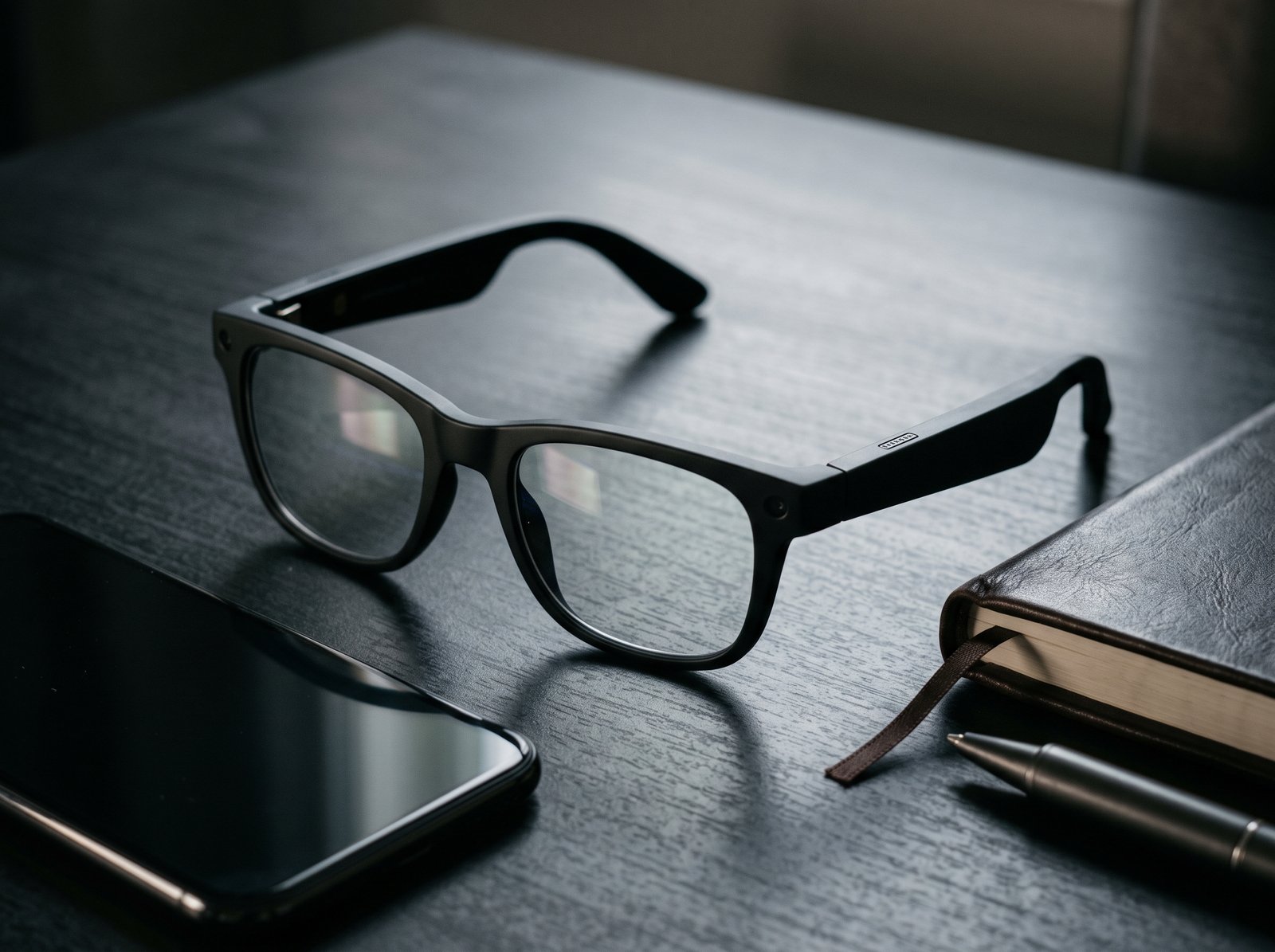
That is the simplest way to understand Ray-Ban Meta Gen 2. Instead of reaching for your phone to capture a moment, answer a call, listen to music, or ask an AI assistant a quick question, those functions move closer to your face.
The second-generation model keeps the familiar Ray-Ban-style form factor while upgrading the camera, battery life, video capability, and Meta AI experience. Ray-Ban lists up to 8 hours of moderate use, 32GB of storage, open-ear speakers, Bluetooth 5.3, Wi-Fi 6, and IPX4 water resistance. The camera can capture up to 3K video at 30fps. :chatgpt-content-reference{index=”2″}
Where it actually makes sense
The strongest use case is hands-free capture. If you are traveling, walking, spending time with family, creating POV footage, or simply want to record a moment without pulling out your phone, the camera is already positioned where you are looking.
The open-ear speakers add another layer of convenience. You can listen to music, podcasts, calls, or AI responses while remaining aware of the surrounding environment.
AI is useful — but it is not magic
Meta AI can be useful for short, practical interactions such as questions, visual assistance, translation, and quick information. The more useful question is not whether the glasses “have AI,” but whether the AI actually saves you a step you would otherwise perform on your phone.
The biggest limitation: no display
This distinction matters. Ray-Ban Meta Gen 2 can give you information through audio and voice interaction, but it does not put a full map, notification panel, teleprompter, or virtual monitor directly in front of your eyes.
✓ WHAT WE LIKE
- Hands-free photo and video capture
- Open-ear audio for calls and music
- Meta AI and voice interaction
- Looks much closer to ordinary eyewear than XR glasses
✕ WHAT TO CONSIDER
- No in-lens display
- Heavy camera use changes real-world battery expectations
- Camera privacy requires good judgment around other people
Who Should Buy: People who want hands-free photos, video, open-ear audio, calls, AI assistance, and travel convenience.
Who Should Skip: Anyone specifically looking for a HUD, teleprompter, or large virtual screen.
Camera: 12MP ultra-wide
Video: Up to 3K at 30fps
Battery: Up to 8 hours moderate use
Storage: 32GB
Water Resistance: IPX4
Building a more compact everyday setup? Our guide to the Best Slim MagSafe Power Banks covers another way to reduce pocket and travel clutter.
2. Oakley Meta Vanguard — For Running, Cycling, and Outdoor Use
The problem it is trying to solve
“I want smart glasses that actually make sense during sport.”
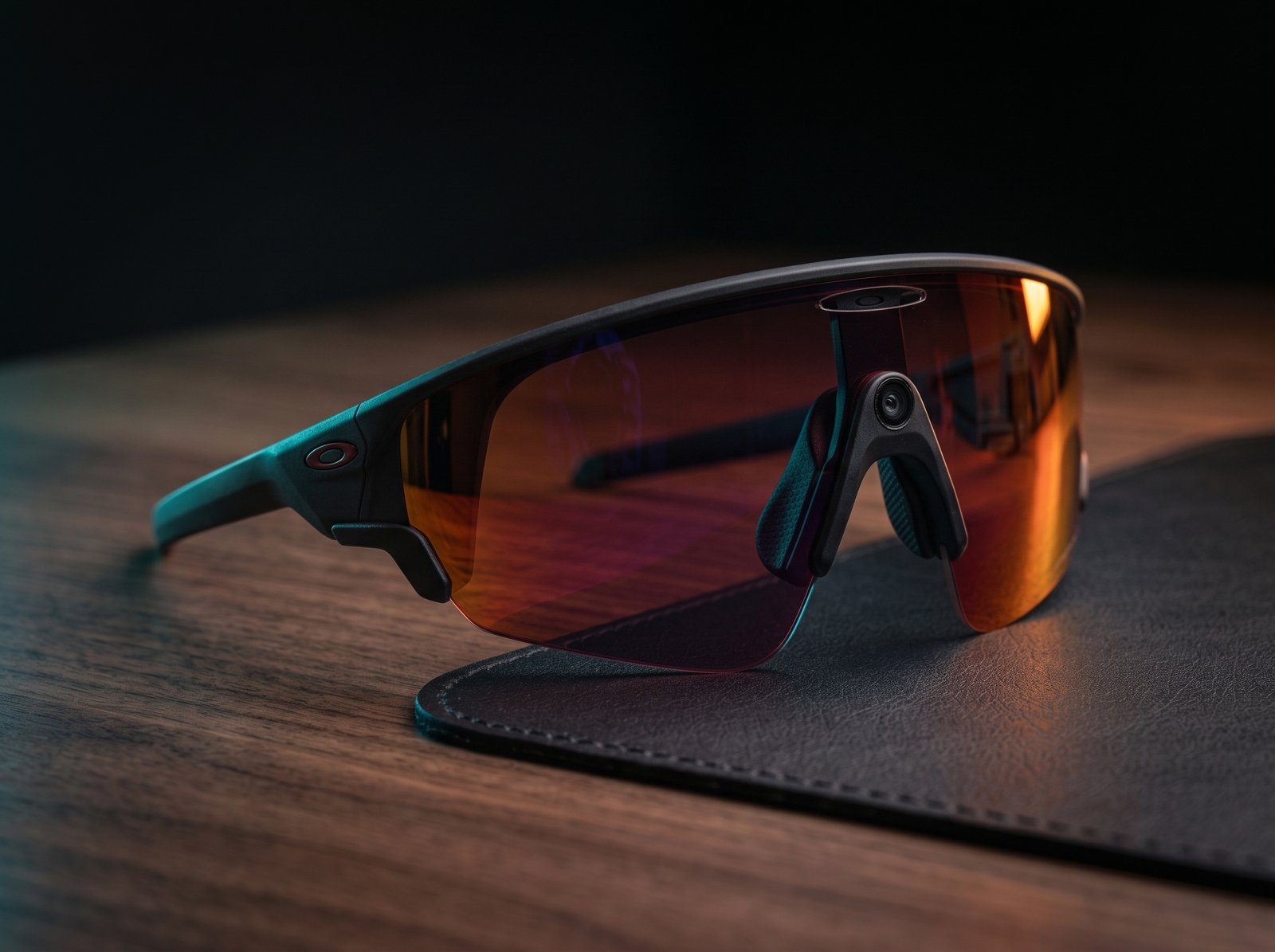
Oakley Meta Vanguard is much more specific than an everyday camera-and-audio pair. The design is built around active use, with a wraparound sports frame, open-ear speakers, a 12MP camera, Meta AI, and integrations designed around Garmin and Strava workflows.
Oakley lists up to 6 hours of continuous audio, up to 9 hours of daily use, 36 additional hours from the case, IP67 resistance, and a 12MP ultra-wide camera capable of 3K capture. Garmin integration can bring historical and real-time training data into the Meta AI experience, while Strava can be used to share activity content and overlays. :chatgpt-content-reference{index=”3″}
Where it makes sense
Imagine a long ride or run where you want music, hands-free photography, navigation assistance, workout information, and environmental awareness. Normally that can mean combining a phone, earbuds, sports watch or bike computer, sunglasses, and a camera.
Vanguard tries to compress some of those functions into one wearable. The sports integration is what makes it meaningfully different from simply buying another pair of AI glasses.
The design is intentionally sport-focused
That is a strength when you need stability under movement, helmets, sweat, and changing outdoor conditions. It is also a trade-off if you want something subtle and minimalist enough to disappear into an office wardrobe.
Battery depends on what you are doing
A long music session is not the same power load as continuous recording combined with GPS-related features and other processing. That is why the practical battery figure for an athlete may be different from the headline number on the product page.
✓ WHAT WE LIKE
- Purpose-built sports frame and secure fit
- 12MP POV camera with 3K capture
- Open-ear audio for training situations
- Garmin and Strava integrations
✕ WHAT TO CONSIDER
- Sportier and larger design than conventional eyewear
- High-intensity recording can reduce battery endurance
- Advanced fitness features depend on compatible devices and apps
Who Should Buy: Runners, cyclists, hikers, outdoor creators, and athletes who want POV footage and open-ear audio.
Who Should Skip: People who rarely exercise outdoors or want lightweight everyday eyewear with a less athletic look.
Camera: 12MP ultra-wide
Audio: Open-ear speakers
Battery: Up to 9 hours daily use; up to 6 hours continuous audio
Water Resistance: IP67
Connectivity: Bluetooth 5.3, Wi-Fi 6E
3. Even Realities G1 — For Glanceable Information and Teleprompting
The problem it is trying to solve
“I want useful information in front of my eyes without constantly looking down at my phone.”
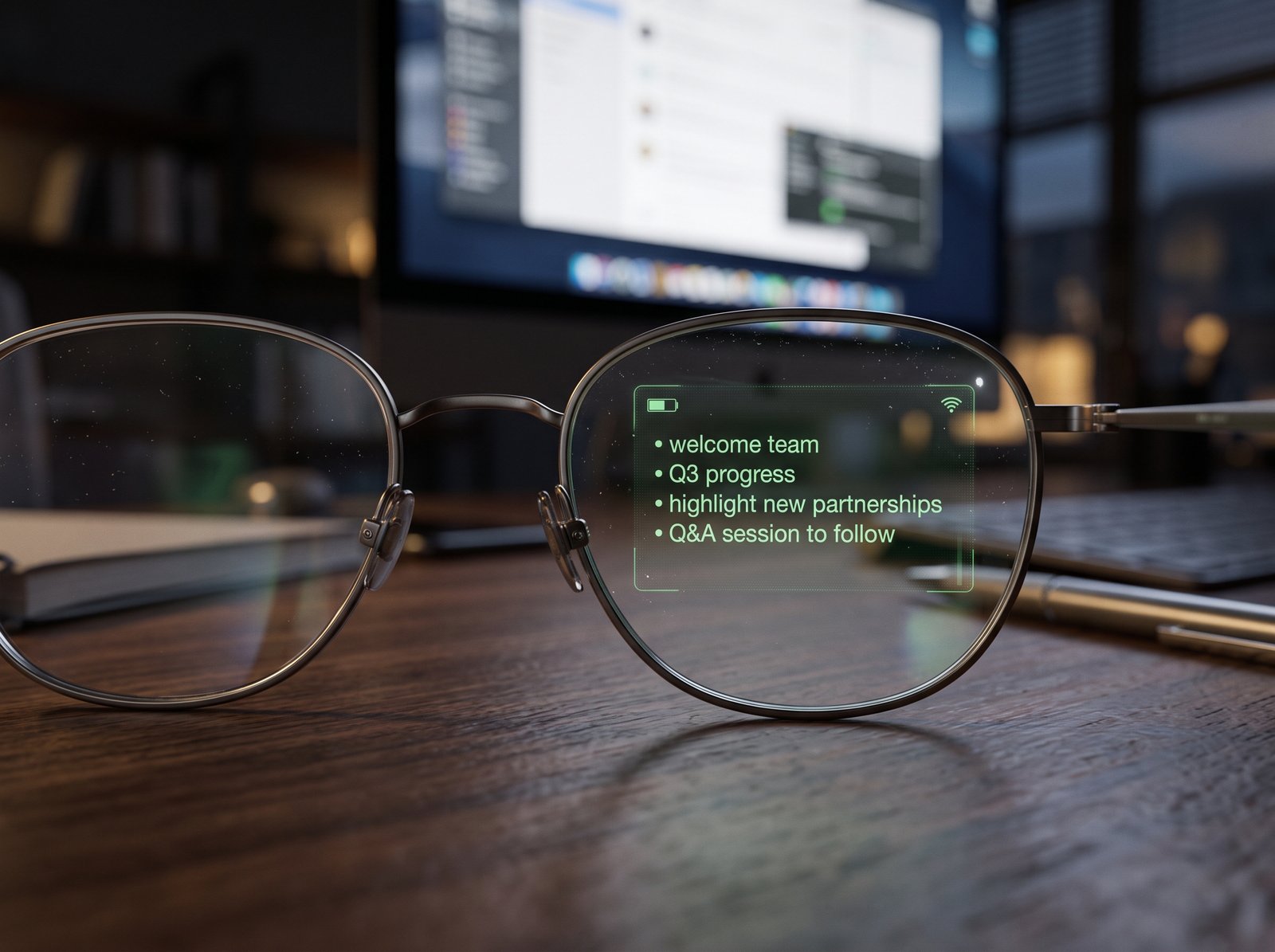
Even G1 takes a fundamentally different approach from camera glasses. Its HAOS optical system projects digital information into your field of view while keeping the glasses visually closer to ordinary eyewear.
The current Even support documentation lists features including notifications, QuickNote, a dashboard, navigation, translation, teleprompting, and Even AI. The official product information lists a 640 × 200 micro-display, 25° field of view, automatic brightness adjustment, and a floating virtual display positioned around two meters in front of the wearer. :chatgpt-content-reference{index=”4″}
Teleprompting is one of the clearest use cases
For presenters, YouTubers, teachers, salespeople, and speakers, the ability to keep talking while following a script in your field of view solves a very specific problem: remembering what to say without repeatedly looking down at a laptop or phone.
Navigation and notifications
G1 can show useful information without requiring you to reach for your phone. Its dashboard can surface things such as notes, news, maps, stocks, time, weather, and notifications. The navigation experience is intentionally glanceable rather than a full replacement for a smartphone map. :chatgpt-content-reference{index=”5″}
The important difference: no camera
That removes one of the biggest privacy concerns associated with camera-equipped smart glasses. It also means G1 cannot capture POV video or interpret the world visually through a camera in the same way a camera-equipped pair can.
✓ WHAT WE LIKE
- Discreet heads-up information
- Useful teleprompting workflow
- Navigation and customizable notifications
- No camera on your face
✕ WHAT TO CONSIDER
- No camera or conventional open-ear audio system
- Information is intentionally limited rather than a full AR desktop
- Current Even support materials include a G1 sales-discontinuation notice, so availability should be checked before purchase
Who Should Buy: Presenters, content creators, professionals, travelers, and people who want glanceable information without a camera.
Who Should Skip: People primarily looking for hands-free photos, POV video, immersive audio, or a large virtual screen.
Display: Micro LED, 640 × 200
Field of View: 25°
Refresh Rate: 20Hz
Camera: None
Battery: Up to 1.5 days depending on usage
Prefer a wearable that focuses on health and activity instead of displays or cameras? See our guide to screenless fitness trackers and how their tracking accuracy should actually be judged.
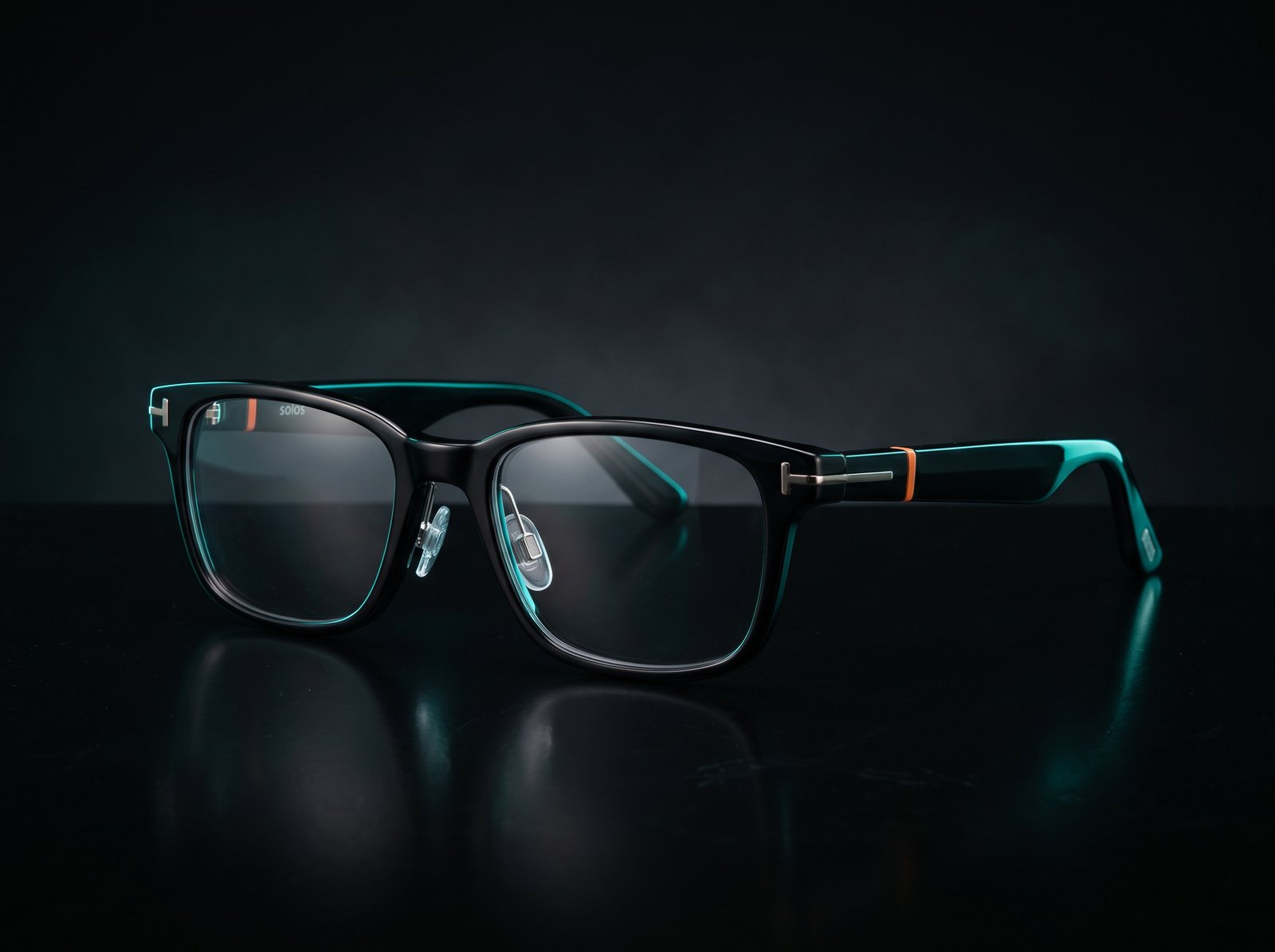
4. Solos AirGo A5 — For Open-Ear Audio and Hands-Free AI
The problem it is trying to solve
“I want smart audio glasses without needing a camera or a display.”
Solos AirGo A5 takes a more focused route. Instead of trying to become a camera or wearable monitor, it concentrates on open-ear audio, hands-free AI interaction, reminders, translation, weather updates, music control, and everyday voice assistance.
The current A5 specifications list approximately 10 hours of music streaming, around 7 hours of phone calls, a 15-minute quick charge for up to about 3 hours of operation, IP54 protection, Bluetooth 5.2, and around 40g weight. The current A5 configuration also lists no photo or video recording. :chatgpt-content-reference{index=”6″}
Where it can be useful
The appeal is everyday convenience. You can use audio without blocking your ears, interact with AI, manage reminders, get translation help, control music, and stay connected without constantly taking your phone out.
The important limitation: no visual display
AirGo A5 is not an XR display and it is not a camera-first product. That narrower role is actually part of the concept: information comes through audio and voice interaction rather than appearing in front of your eyes.
Software matters more here
With audio-and-AI glasses, the hardware is only part of the experience. The companion app, phone integration, AI services, and software updates determine how useful the glasses feel over time.
✓ WHAT WE LIKE
- Audio-first design without a camera
- Hands-free AI and translation
- Music control and reminders
- Lightweight everyday form factor
✕ WHAT TO CONSIDER
- No visual display
- No photo or video capture on the current A5 configuration
- Overall usefulness depends heavily on the software ecosystem
Who Should Buy: People who want open-ear audio, voice AI, translation, reminders, and everyday hands-free assistance.
Who Should Skip: Anyone specifically looking for a HUD, POV camera, or giant virtual screen.
Audio: Open-ear smart audio
Music Playback: Approx. 10 hours
Phone Calls: Approx. 7 hours
Quick Charge: 15 minutes ≈ 3 hours operation
Water Resistance: IP54
Weight: Approx. 40g
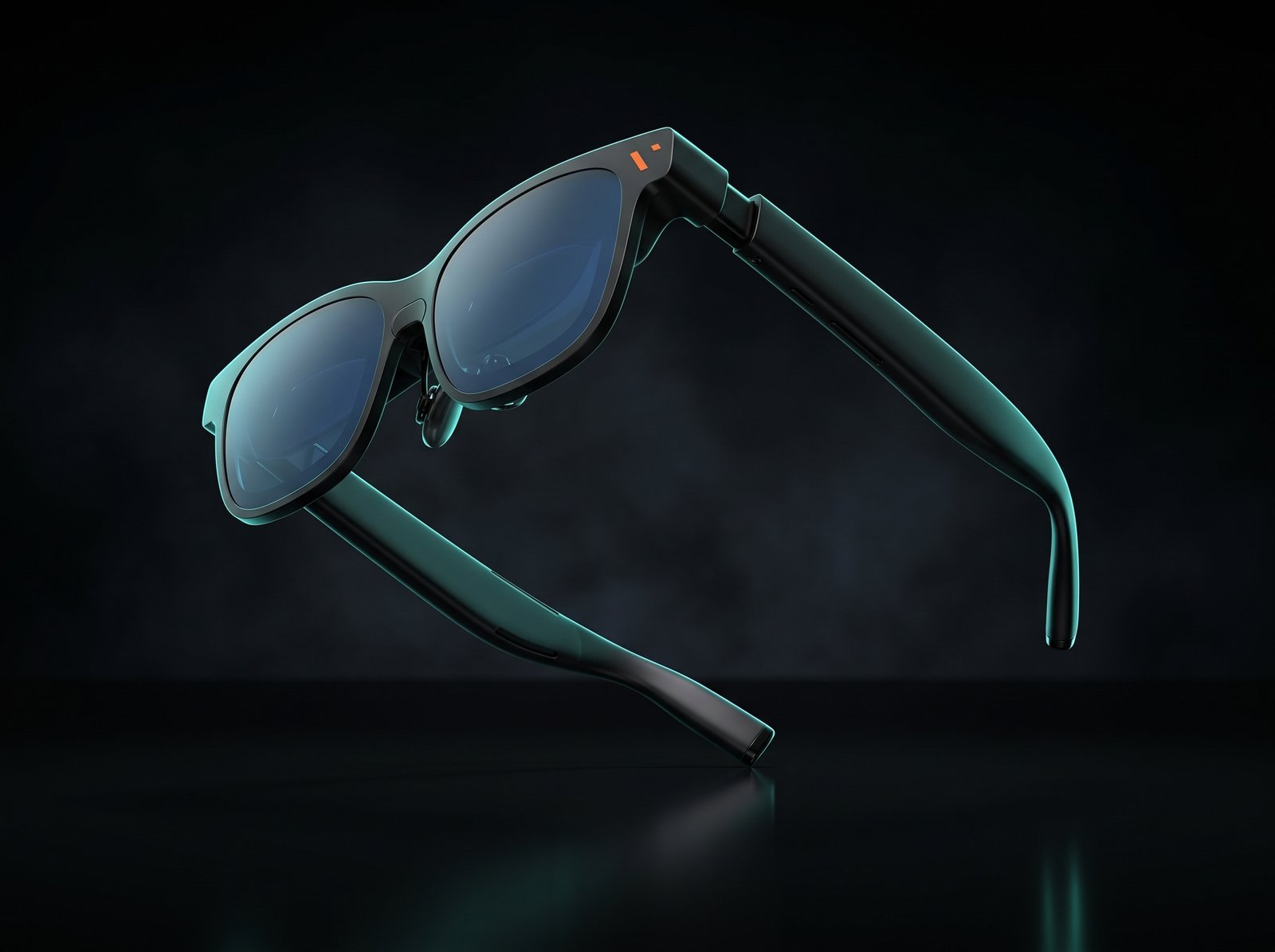
5. VITURE Pro 2 — For a Portable Private Large-Screen Experience
The problem it is trying to solve
“I want a huge private screen that I can carry in a small case.”
VITURE Pro 2 belongs in a different part of the smart-glasses conversation. It is not primarily a camera, AI assistant, or notification device. It is a wearable display.
VITURE lists Sony Micro-OLED panels with up to 1920 × 1080 resolution per eye, up to 120Hz refresh rate, a 50° field of view, 1,600-nit peak perceived brightness, 108% sRGB, and built-in 0 to -5.0D diopter adjustment. The glasses themselves weigh 63g. :chatgpt-content-reference{index=”7″}
The display is the entire point
The appeal is straightforward: you can create a much larger private viewing experience without carrying a physical monitor. That can be especially useful for movies, handheld gaming, hotel rooms, flights, commuting, and situations where your laptop or phone screen feels too small.
Gaming and entertainment
This is one of the easiest use cases to understand. Instead of watching or gaming on a small handheld screen, the glasses can make the experience feel much more like using a large display.
Productivity is more complicated
Text-heavy work depends heavily on fit, eye positioning, software, host device, and your individual visual preferences. A specification sheet can tell you resolution and field of view; it cannot tell you whether several hours of text-heavy work will feel comfortable to you.
The biggest limitation: it is not standalone
Unlike camera-and-AI glasses, VITURE Pro 2 does not try to replace your phone. It is a display connected to another device, so the host device, USB-C connection, software compatibility, and battery situation still matter.
✓ WHAT WE LIKE
- High-resolution Sony Micro-OLED display
- Up to 120Hz refresh rate
- 50° field of view
- Built-in diopter adjustment
- Very portable alternative to carrying a large screen
✕ WHAT TO CONSIDER
- Requires a compatible host device
- Not designed to replace phone-based AI glasses
- Long-session comfort and text clarity depend on personal fit
Who Should Buy: Travelers, gamers, laptop users, remote workers, and movie watchers who want a large private screen without carrying a monitor.
Who Should Skip: People who want hands-free photography, voice-first AI assistance, or normal everyday eyewear that works independently.
Display: Sony Micro-OLED
Resolution: Up to 1920 × 1080 per eye
Refresh Rate: Up to 120Hz
Field of View: 50°
Peak Perceived Brightness: 1,600 nits
Weight: 63g
Diopter: 0 to -5.0D
The Camera Question
Camera-equipped glasses have one enormous advantage: you can capture what you are actually looking at. That is different from holding a phone because the camera is already aligned with your point of view.
But the convenience creates a second problem. Other people may not immediately know when they are being recorded.
✓ WHY IT MATTERS
Hands-free capture can be genuinely useful for travel, walking, cycling, family moments, outdoor creators, and quick documentation.
⚠ WHAT TO REMEMBER
Treat camera glasses like cameras. Privacy expectations still matter in workplaces, gyms, healthcare settings, private events, and other sensitive environments.
The Display Question
A display changes the experience completely.
Without a display, you ask and the glasses answer through audio.
With a display, information appears and you look at it.
That is why Even G1 and VITURE Pro 2 feel fundamentally different from Ray-Ban Meta and Solos AirGo A5.
Displays also introduce their own compromises:
- visibility in different lighting conditions
- field of view
- eye positioning and fit
- text clarity
- device dependence
- comfort during longer sessions
So “has a display” is not automatically better. It simply means the product is solving a different problem.
What About AI?
AI is probably the most over-marketed part of the category.
The more useful question is not:
“Does it have AI?”
The better question is:
“What does the AI save you from doing?”
USEFUL AI
- Quick visual or voice questions
- Short translations
- Navigation assistance
- Reminders and notes
- Hands-free information lookup
LESS CONVINCING USE CASES
- Long conversations
- Complex research
- Precise technical work
- Tasks where your phone or laptop is already faster
The value of AI on glasses therefore depends less on the word “AI” and more on whether the glasses make a repeated task genuinely easier.
Battery Life Is More Complicated Than the Number on the Box
Smart glasses can have dramatically different power requirements depending on what you are doing.
Light everyday use
Occasional notifications, light audio, standby, quick AI questions, and short interactions.
Regular interaction
Calls, frequent audio, AI use, notifications, and occasional photo or video capture.
Heavy processing
Continuous recording, intensive AI, streaming, navigation features, or prolonged display use.
That is why “battery life” should never be treated as one universal number. Ray-Ban Gen 2, for example, is rated up to 8 hours for moderate use, while Oakley Vanguard lists up to 9 hours of daily use and up to 6 hours of continuous audio. Solos A5 lists roughly 10 hours of music streaming. The way you actually use the glasses determines which number matters. :chatgpt-content-reference{index=”8″}
Who Should Probably Skip Smart Glasses?
You probably do not need smart glasses simply because the category is new.
They are not automatically better than:
- a smartphone
- wireless earbuds
- a smartwatch
- an action camera
- a laptop
- a portable monitor
Want excellent photography? Your phone may still be the better camera.
Want serious workout metrics? A sports watch may be more appropriate.
Want a huge screen? VITURE Pro 2 is a more direct solution than conventional AI glasses.
Want music and calls? Earbuds may still be simpler.
If you cannot identify a recurring problem that the glasses solve, the technology may simply be interesting rather than necessary.
Smart glasses are only one part of a distraction-free setup. For a quieter workspace, see our guide to the Best Premium Noise-Cancelling Headphones for Deep Work and Travel .
The Most Important Thing We Learned
The smart-glasses market is moving in several directions at once.
One direction is making ordinary glasses smarter. Ray-Ban Meta and Oakley Meta are examples.
Another is putting useful information into your field of view. Even Realities is pursuing that idea with G1.
Another is turning glasses into a portable display. VITURE Pro 2 is built around that experience.
And Solos is exploring a different combination of open-ear audio, AI, translation, reminders, and everyday wearable assistance.
None of these approaches automatically makes the others obsolete. They are answering different questions.
Frequently Asked Questions
Are smart glasses worth it in 2026?
They can be, but usefulness depends heavily on the problem you want to solve. Camera, audio, display, and XR glasses are different categories, so the right choice depends more on your use case than the label.
Do Ray-Ban Meta Gen 2 glasses have a display?
No. Ray-Ban Meta Gen 2 is focused on camera capture, open-ear audio, calls, and AI interaction rather than an in-lens visual display.
Can smart glasses replace a smartphone?
Not broadly. Most smart glasses are designed to reduce friction for a small set of repeated tasks rather than replace the phone completely.
What is the difference between Even G1 and VITURE Pro 2?
Even G1 focuses on small amounts of glanceable information such as navigation, notifications, notes, and teleprompting. VITURE Pro 2 is primarily a larger wearable display for gaming, movies, travel, and compatible devices.
Do Solos AirGo A5 glasses have a camera?
The current A5 configuration lists no photo or video recording. Its focus is open-ear audio, AI interaction, translation, reminders, weather, and music control.
Should I buy smart glasses if I do not have a specific use case?
Probably not. If you cannot identify a recurring problem that the glasses solve more conveniently than your phone, earbuds, smartwatch, or another device, the upgrade may not add enough value.
Selected Research Sources
Final Takeaway
The most useful way to think about smart glasses in 2026 is not: “Which one should I buy?”
It is: “What do I want my glasses to do that my phone currently makes inconvenient?”
If the answer is capture, look at camera-focused glasses. If it is open-ear audio and AI, audio-first models make more sense. If it is glanceable information, a display-oriented pair may fit better. And if what you really want is a large private screen, an XR display such as VITURE Pro 2 is answering a completely different question.
And if you cannot identify a recurring problem that smart glasses solve for you, you may not need them yet.
Explore the Smart Glasses Options →Editorial Note: The Few Picks does not treat user reviews as scientific evidence or assume that a small number of online complaints represent every owner. Manufacturer specifications, professional reviews, and community feedback can reveal different parts of the ownership experience. Where evidence is anecdotal or limited, we treat it that way.